 Kutter
Help › In depth
Write a brief so AI suggests a good story
Give AI a short brief before it suggests a story, pick a clip type, then chat to ask for a different take.
Goal: get AI to suggest a story from your footage that fits what you want on the first try, without pressing suggest again and again.
AI can only see the pictures and hear the sound in your clips. It doesn't know how you want viewers to feel. A short two-line brief helps a lot.
Write the brief on the Footage page
-
Add all your footage first, then scroll down to the บอก AI สั้น ๆ ก่อนเสนอเรื่อง (Brief AI Before It Suggests a Story) card
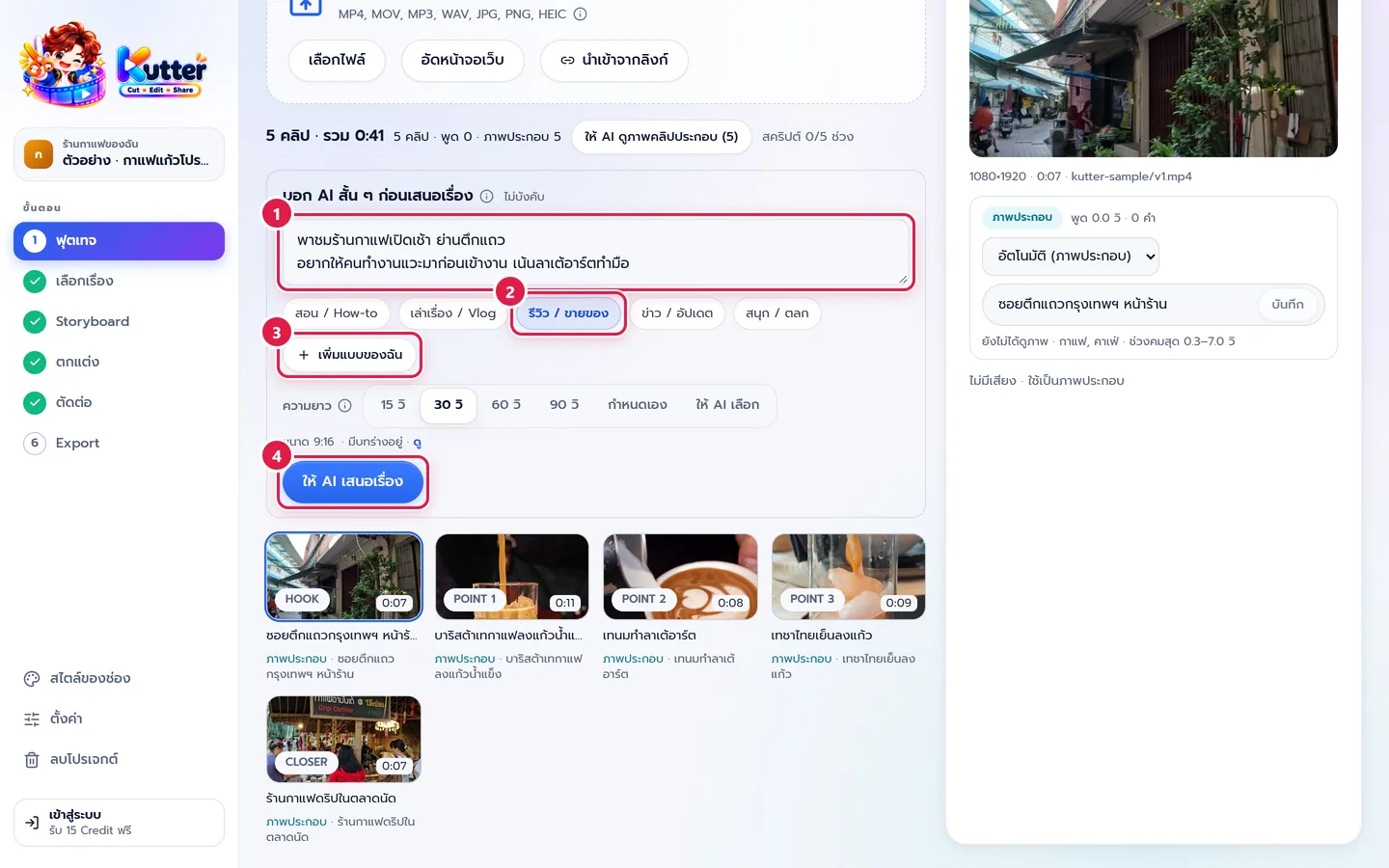
- First line = the topic, for example "A tour of an early-morning café in a shophouse neighborhood"
- Next lines = what viewers should get and what to focus on, for example "I want office workers to stop by before work. Focus on the handmade latte art"
- Pick a clip type, such as รีวิว / ขายของ (Review / Selling) or เล่าเรื่อง / Vlog (Storytelling / Vlog)
- If your channel often makes a type that isn't on the list, press เพิ่มแบบของฉัน (Add My Type) and name it yourself. You can use it in every project on the channel
- Press ให้ AI เสนอเรื่อง (Let AI Suggest a Story)
Chat to ask for a different story
-
On the Story page, tick the story you like
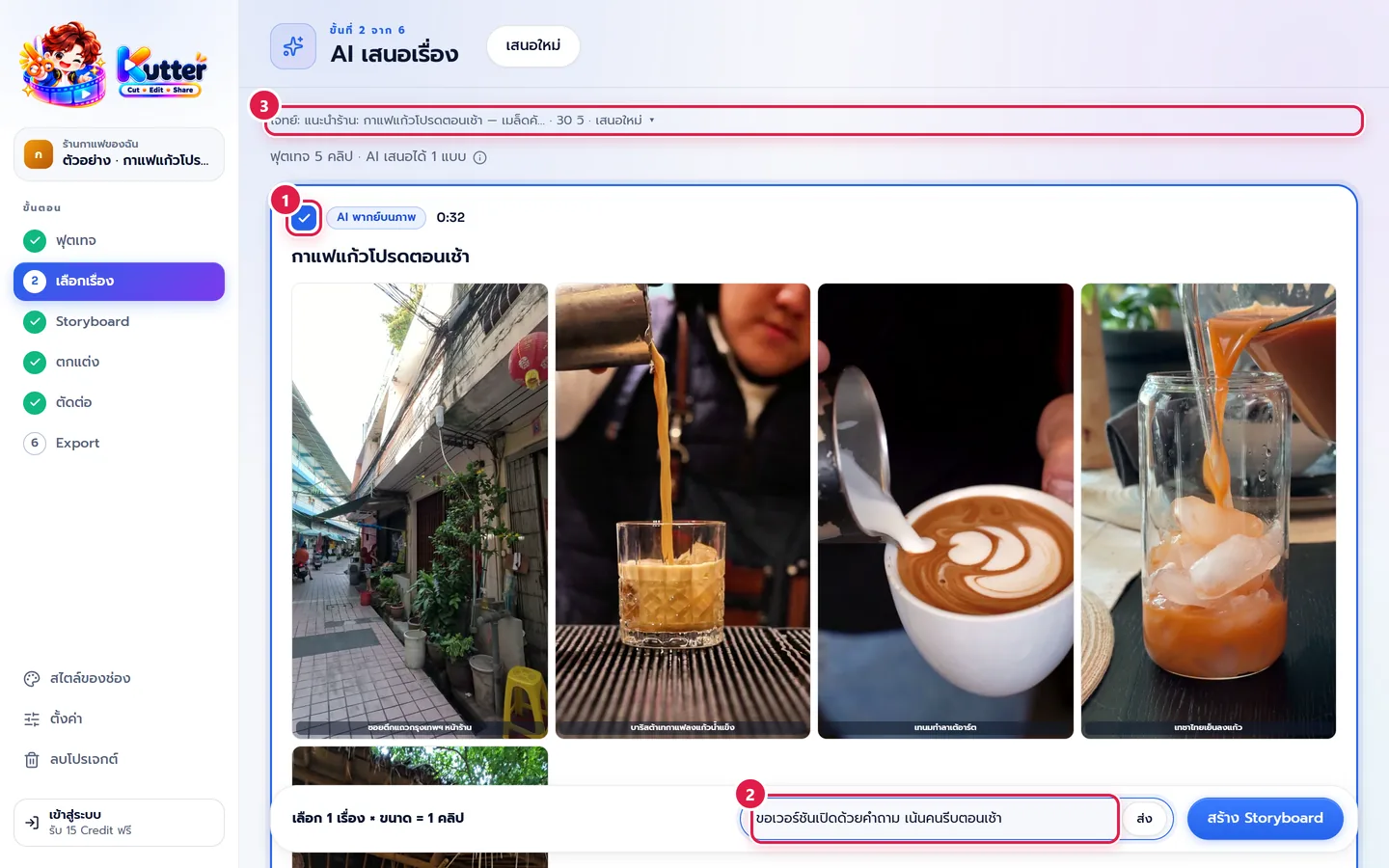
- If it's still not right, type in the box at the bottom, for example "Give me a version that opens with a question and focuses on people in a morning rush", then press ส่ง (Send)
- To change the whole brief, press the "Brief: …" bar at the top to open the brief card, edit it, and suggest again
- Once you have the right story, press สร้าง Storyboard (Create Storyboard)
Result: the story AI suggests uses scenes that match what you focused on. For example, the latte-art pouring scene becomes the highlight, and the clip ends with the call to action you gave.
Common problems
- If the suggested story is too broad, add concrete details such as menu names, prices, and opening hours
- If AI uses a scene you don't want, say so in the brief: "Don't use the … scene"
- If every story looks the same, use the chat box to ask for a "funny version" or a "storytelling version" so they're clearly different
Read more: The Footage step · The Story step · Choose the clip length
Still stuck? Chat with us (bottom right) or email support@helloworld-solution.com