 Kutter
Help › In depth
6 hook types, when to use them + clip covers
Pick a hook type that fits your content, press suggest hook, and set the title on your cover.
Goal: the first 3 seconds have to make people stop scrolling. The hook is the opening text that does that job.
Pick the channel's hook type
-
Go to สไตล์ของช่อง (Channel Style) → เนื้อหา & AI (Content & AI), card Hook type
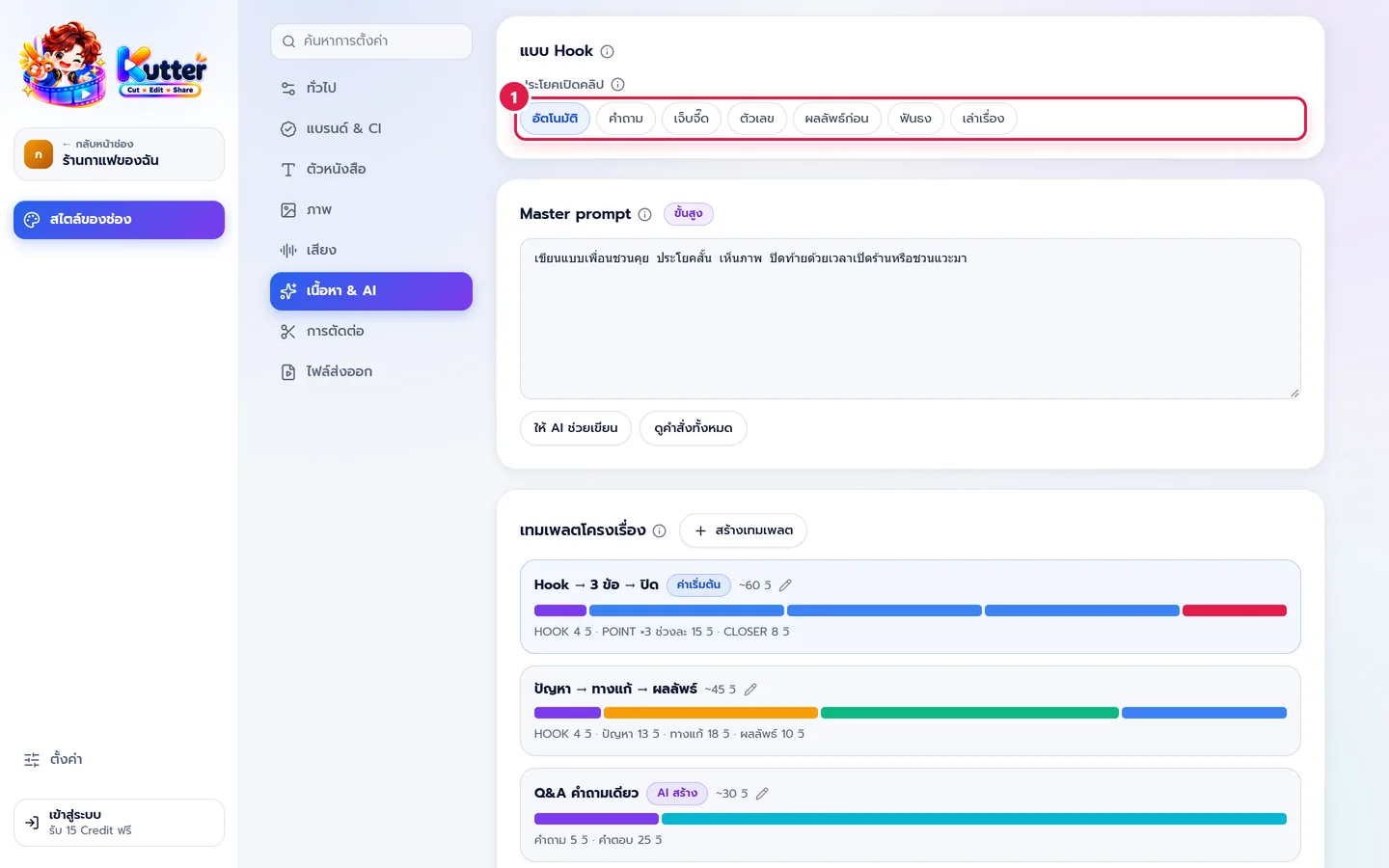
- Pick the type your channel uses most, or อัตโนมัติ (Auto) to let AI choose based on each clip's content
Which type to use when (café examples):
- คำถาม (Question) gets viewers thinking along: "Still sleepy after waking up?"
- เจ็บจี๊ด (Pain Point) warns about a mistake: "Don't buy your first coffee of the day until you've tried this place"
- ตัวเลข (Number) teaches in a list: "3 drinks to try before work"
- ผลลัพธ์ก่อน (Result First) shows the result from the first second: "This latte art takes only 20 seconds"
- ฟันธง (Bold Claim) takes a clear stance: "A good morning coffee doesn't have to be expensive"
- เล่าเรื่อง (Story) for behind-the-scenes vlogs: "On opening day, we sold only two cups"
Suggest a hook and cover for this clip
-
In the Finish step, look at the Opening text (Hook) card
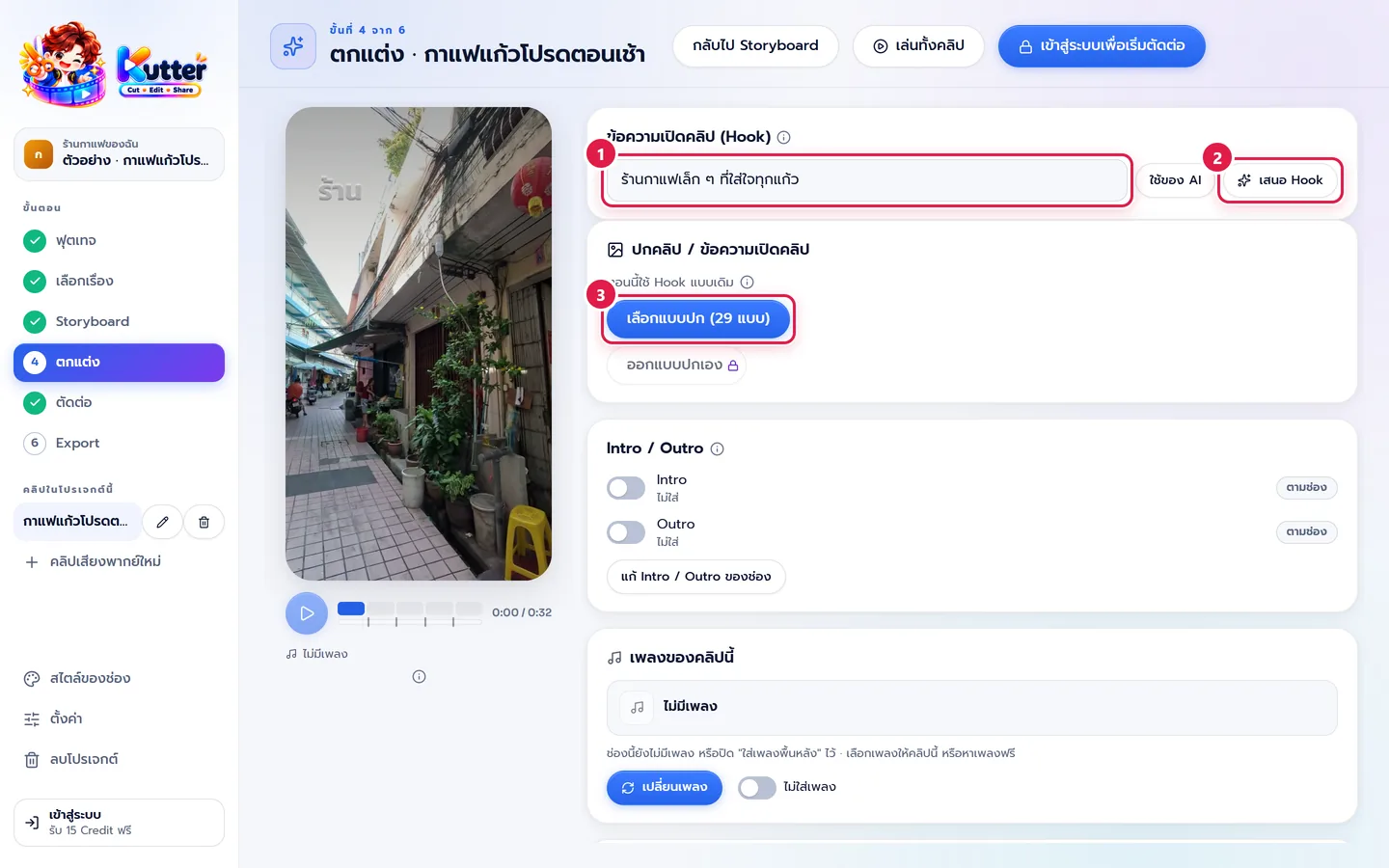
- Press เสนอ Hook (Suggest Hook). AI suggests 3 lines, each labeled with its type. Press the one you like to use it
- You can also type your own. To go back to AI's text, press ใช้ของ AI (Use AI's)
- In the Clip cover / Opening text card, press เลือกแบบปก (Choose Cover Style)
- Type the cover title, or press ให้ AI เสนอหัวข้อ (Let AI Suggest a Title). AI suggests titles based on the channel's hook type
- Pick a cover frame, then press บันทึกปก (JPG) (Save Cover (JPG)) to upload it as the clip cover
Result: the clip opens with text that grabs viewers from the first frame, and the cover has a clear title that's easy to read on your profile page.
Common problems
- If the hook is so long the text spills off the screen, cut it to one sentence or press เสนอ Hook (Suggest Hook) again
- If the cover text sits too close to the person's face, use a shorter title or pick a different cover frame
- If every clip opens the same way, change the channel's hook type to อัตโนมัติ (Auto)
Read more: Channel style: Content & AI · The Finish step
Still stuck? Chat with us (bottom right) or email support@helloworld-solution.com