 Kutter
Help › In depth
AI voice-over from footage, or the speech in your clips
Choose correctly between using the speech in your clips and having AI voice it over.
Goal: pick the storytelling approach that fits your footage, and get it right the first time.
Choose on the Footage page
-
Add your footage, then look at the ใช้เสียงแบบไหน (Which Audio to Use) section at the top
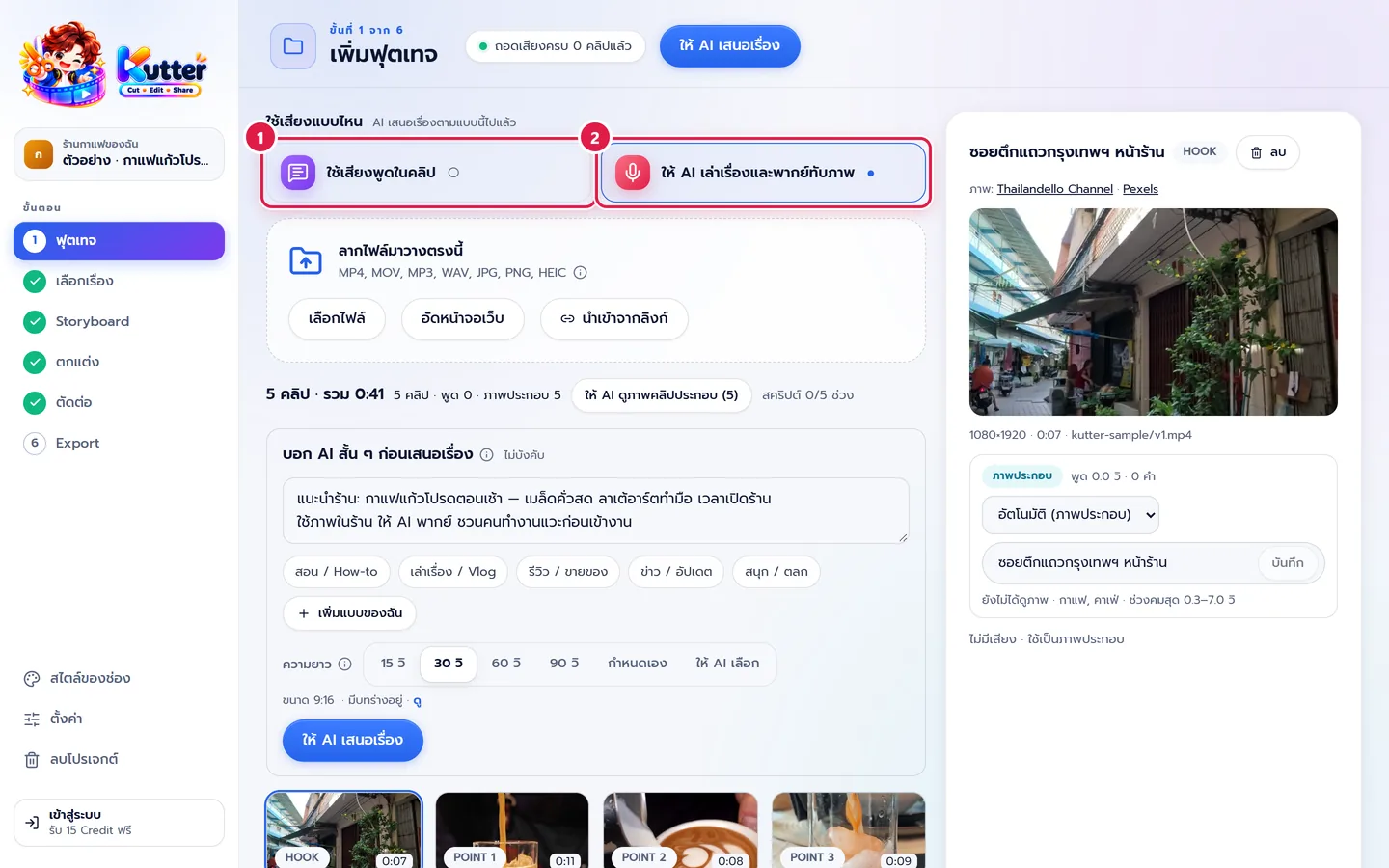
- ใช้เสียงพูดในคลิป (Use Speech in Clips) when someone talks to the camera. AI cuts from the speech and adds B-roll.
- ให้ AI พากย์เสียง (AI Voice-over) when no one talks in the clips. AI watches every clip, writes a script, and voices it over your footage.
- If most of your clips have no speech, a แนะนำ (Recommended) tag appears on the voice-over option
- Press ให้ AI เสนอเรื่อง (Let AI Suggest a Story)
The easy rule:
- Talking to camera, reviews, tutorials → use the speech in the clips
- Shots of a shop, products, or travel with no one talking → AI voice-over
What you get in the Storyboard
-
In voice-over mode, each scene has an AI พากย์ (AI Voice-over) tag and the voice-over script for that scene
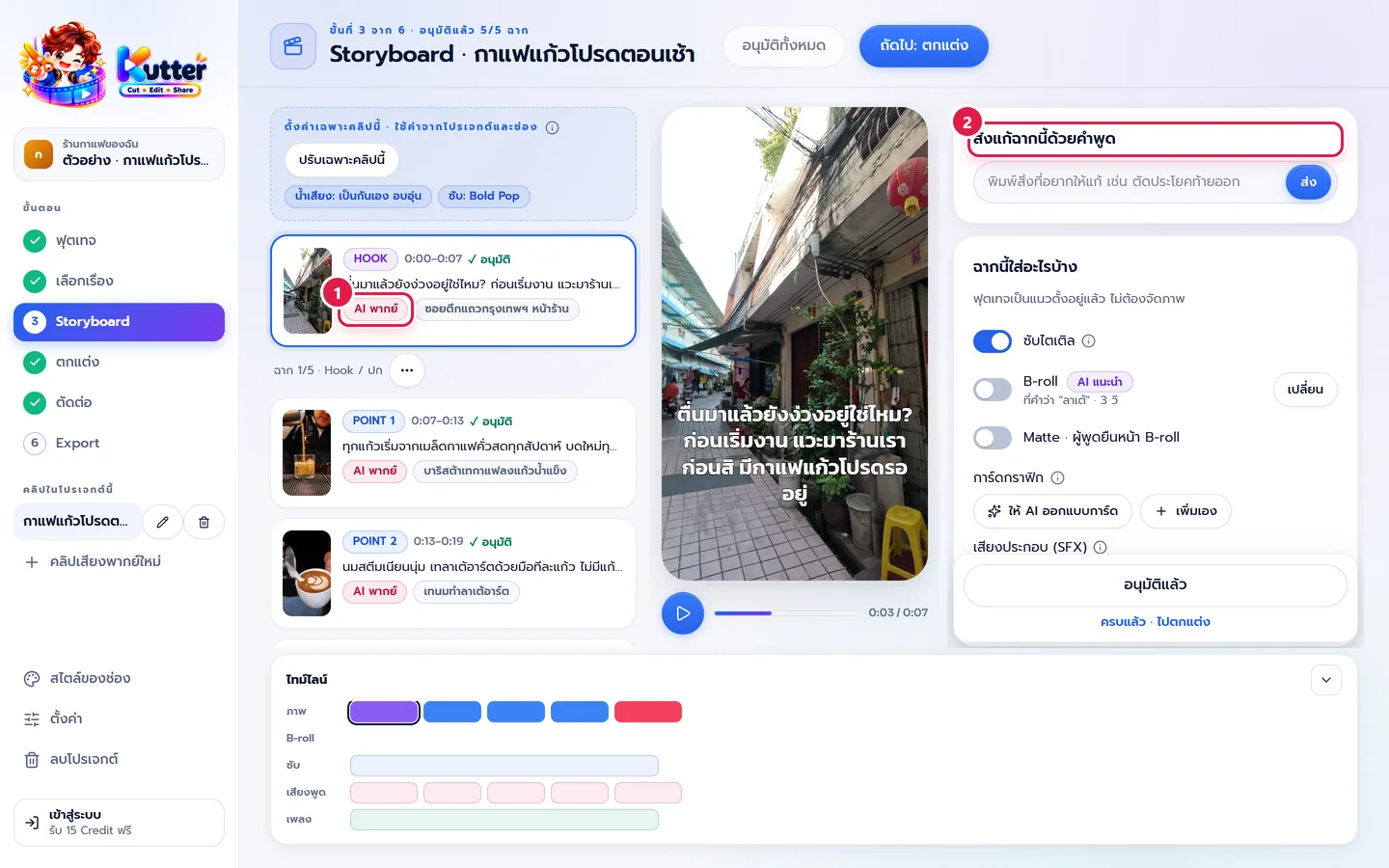
- To change a scene's script, type in the สั่งแก้ฉากนี้ด้วยคำพูด (Edit This Scene in Words) box, for example "พูดให้สั้นลง" (make it shorter), then press ส่ง (Send)
The sample café is five clips of pure footage, so it uses voice-over mode and produces a 32-sec clip where AI tells the story from the shop front to opening hours.
Common problems
- If you chose the speech in your clips but got a very short clip, check on the Footage page that the clips really have speech. If not, switch to voice-over mode.
- If your footage has both people talking and pure footage, choose the speech in your clips. The pure footage is used as B-roll.
- If the voice-over tone doesn't fit the channel, set it in Channel style: Sound.
Read more: The Footage step · AI voice-over project from a script
Still stuck? Chat with us (bottom right) or email support@helloworld-solution.com