 Kutter
Help › Make a clip step by step
Motion graphic cards and animated text
Nine graphic card designs, a Hook that pops in word by word, and keywords that pop up on screen. Set them once and they work in every clip.
Motion graphics in Kutter come in 3 parts: graphic cards (a scene's picture as animated graphics), the Hook (the clip's opening text), and keywords (important words that pop up as they're spoken). Everything uses your channel's fonts and colors.
1. Graphic cards in scenes
- In the Storyboard of a voice-over clip, press เปลี่ยนภาพ (Change Picture) (or เลือกภาพ (Choose Picture)) and choose การ์ดกราฟิก (AI) (Graphic Card (AI))
-
AI picks a design and fills in text from that scene's script, for example the steps "คั่วสด บดใหม่ เทลาเต้อาร์ต" (Freshly roasted, freshly ground, latte art poured)
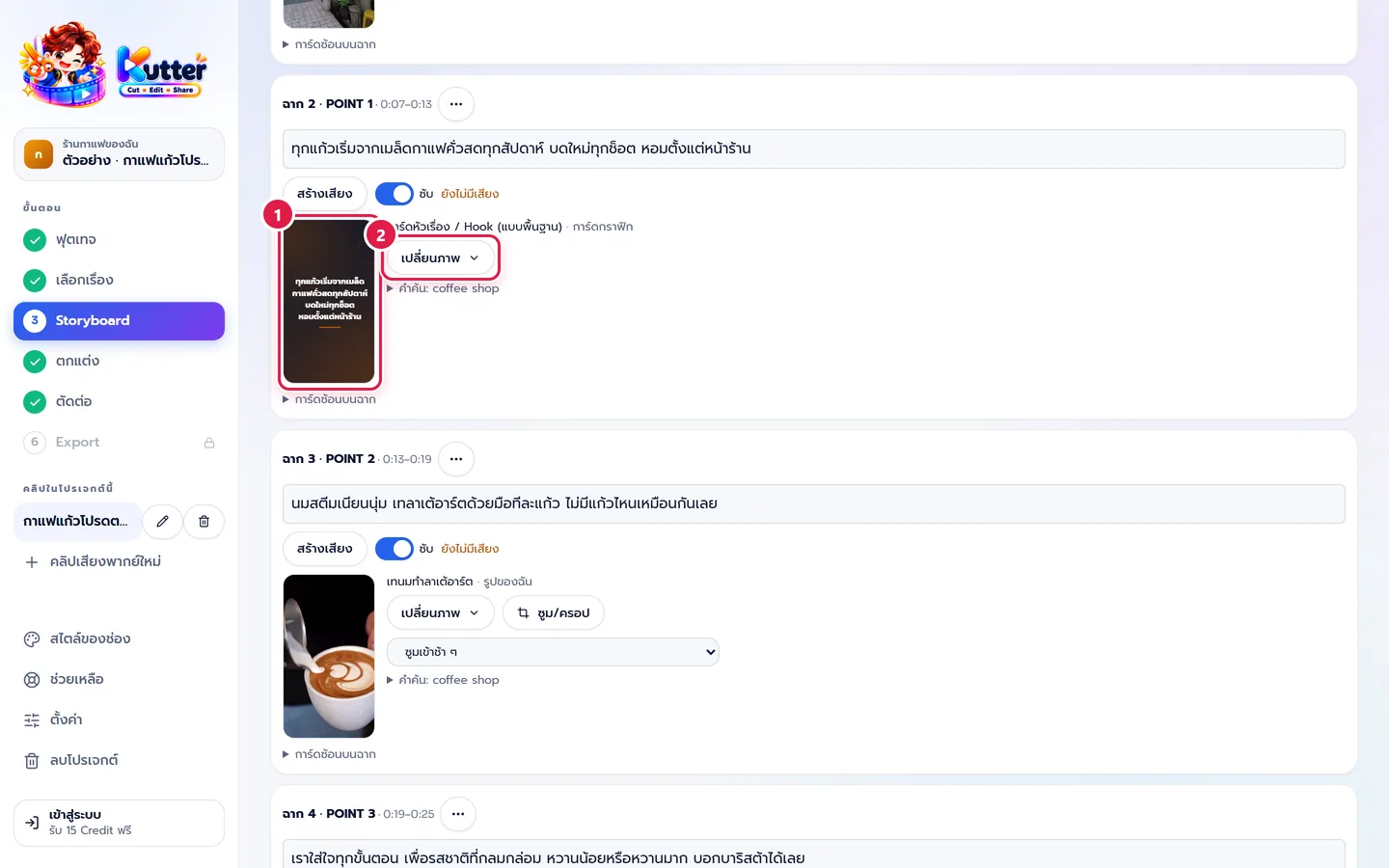
- To edit the text or change the design: press เปลี่ยนภาพ (Change Picture) › แก้การ์ด (Edit Card)
Card designs: title, big number (counts up), list item by item, highlighted quote, A vs B comparison, steps, bar chart, follow card, and name tag over video.
2. A Hook that moves
-
Go to สไตล์ของช่อง (Channel Style) › ตัวหนังสือ (Text), the Hook & on-screen text card
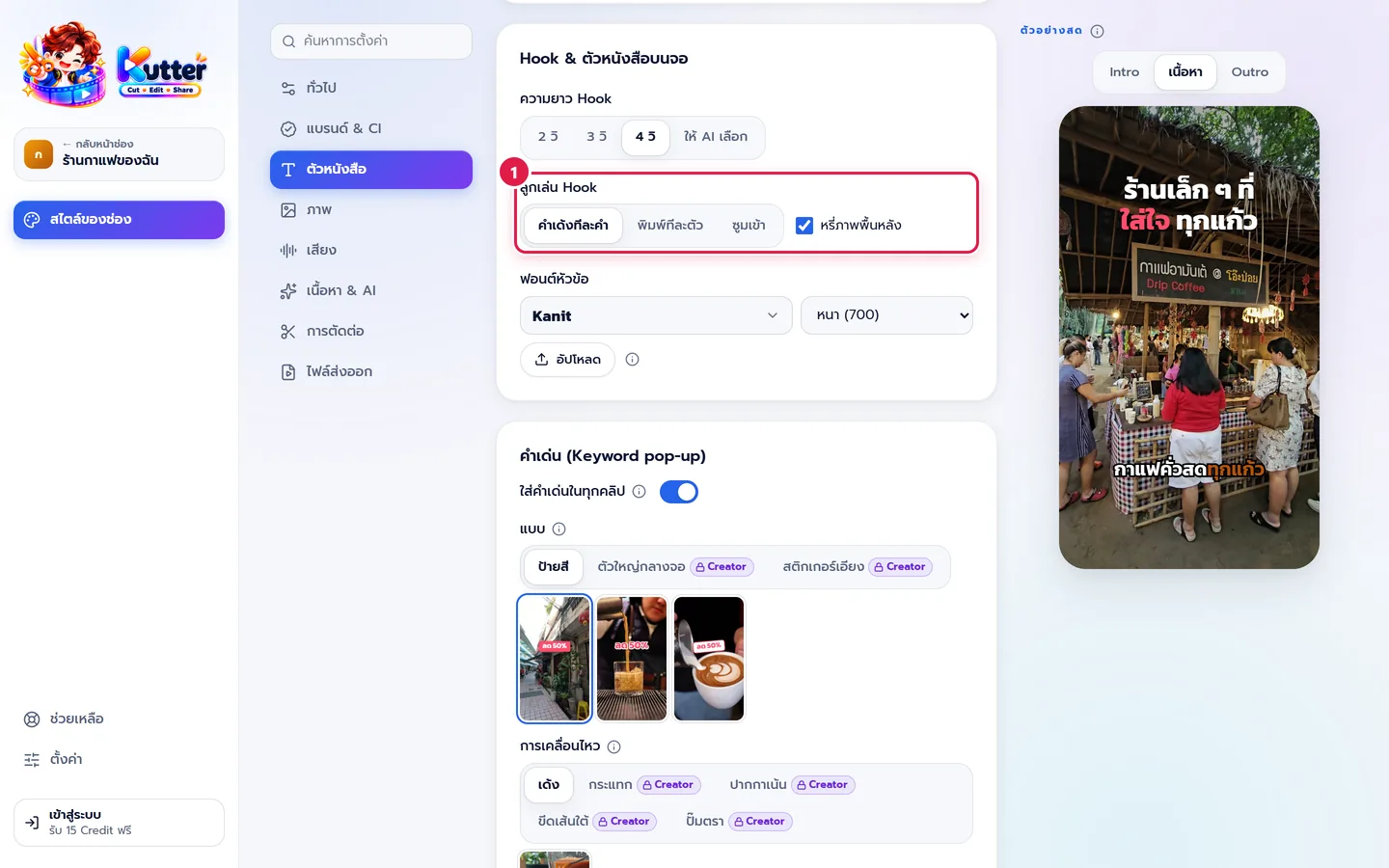
- Hook effect — choose คำเด้งทีละคำ (Word-by-Word Pop), พิมพ์ทีละตัว (Typewriter), or ซูมเข้า (Zoom In)
- Set the Hook length and the heading font. The preview on the right updates right away.
3. Keywords that pop up on screen
-
In the Keyword pop-up card on the same page, turn on ใส่คำเด่นในทุกคลิป (Add Keywords to Every Clip)
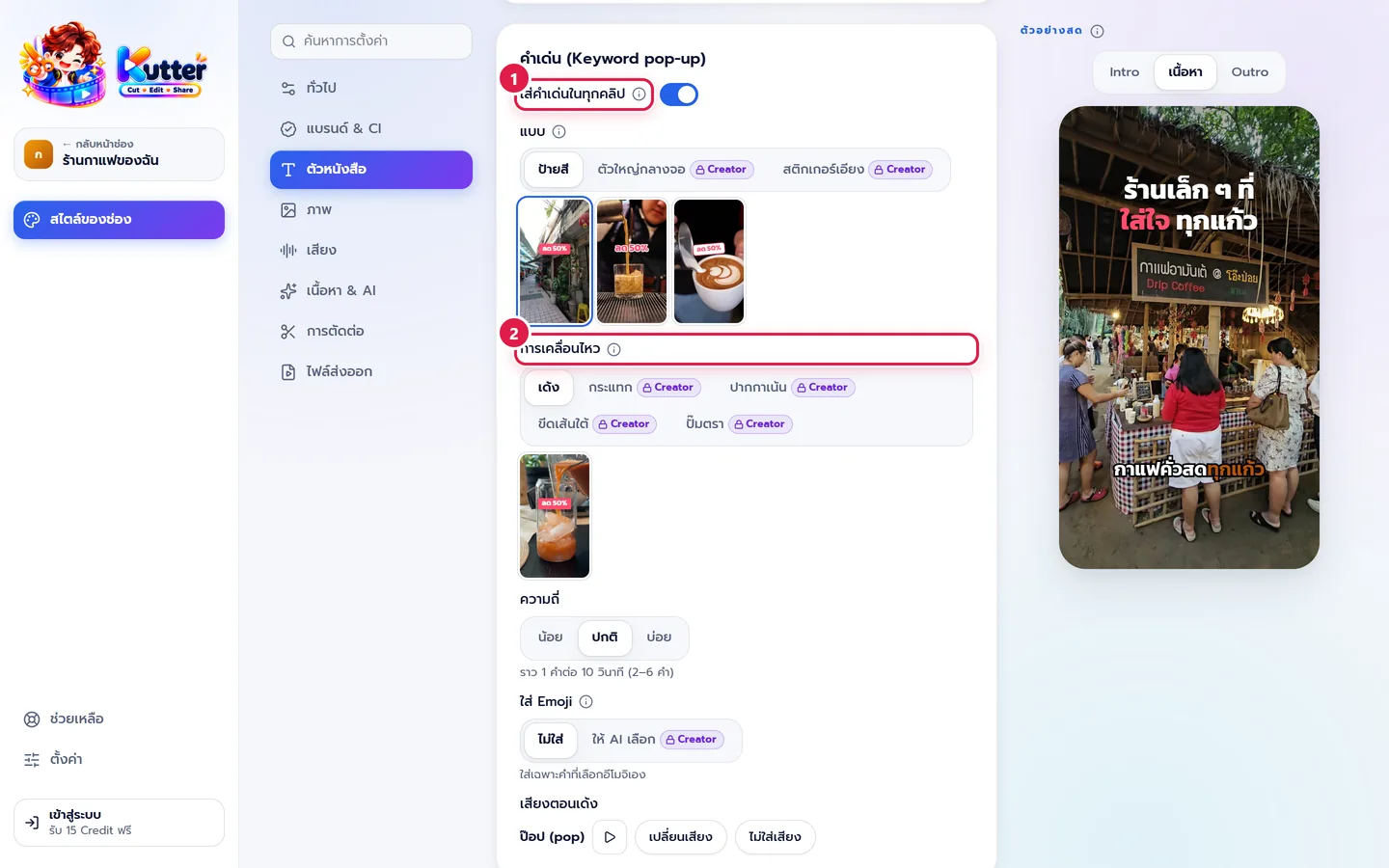
- Choose a Style — ป้ายสี (Color Tag), ตัวใหญ่กลางจอ (Big Center Text), or สติกเกอร์เอียง (Tilted Sticker) — and a Motion — เด้ง (Bounce), กระแทก (Punch), ปากกาเน้น (Highlighter), ขีดเส้นใต้ (Underline), or ปั๊มตรา (Stamp)
- Set the Frequency — น้อย (Low), ปกติ (Normal), or บ่อย (Often)
Result: the clip opens with the Hook "ร้านกาแฟเล็ก ๆ ที่ใส่ใจทุกแก้ว" (A small café that cares about every cup) popping in word by word, a middle scene is a 3-step card, and the words "คั่วสดทุกสัปดาห์" (Freshly roasted every week) pop up in the brand color when they're spoken.
If something goes wrong
- If a design has a Creator tag, see Plans and Credits.
- If the text in a card is too long, the app shrinks the text to fit automatically. If it's still crowded, shorten the words in แก้การ์ด (Edit Card).
- If keywords appear too often, set Frequency to น้อย (Low).
See also: 6 Hook styles, when to use them + clip covers · Keywords and word emphasis
Still stuck? Chat with us (bottom right) or email support@helloworld-solution.com