 Kutter
Help › Channel style
Channel style: Content & AI
Hook types, the Master prompt, and story structure templates.
The เนื้อหา & AI (Content & AI) section tells the AI how your channel opens its clips, which instructions it must follow every time, and how it structures the story.
Hook type
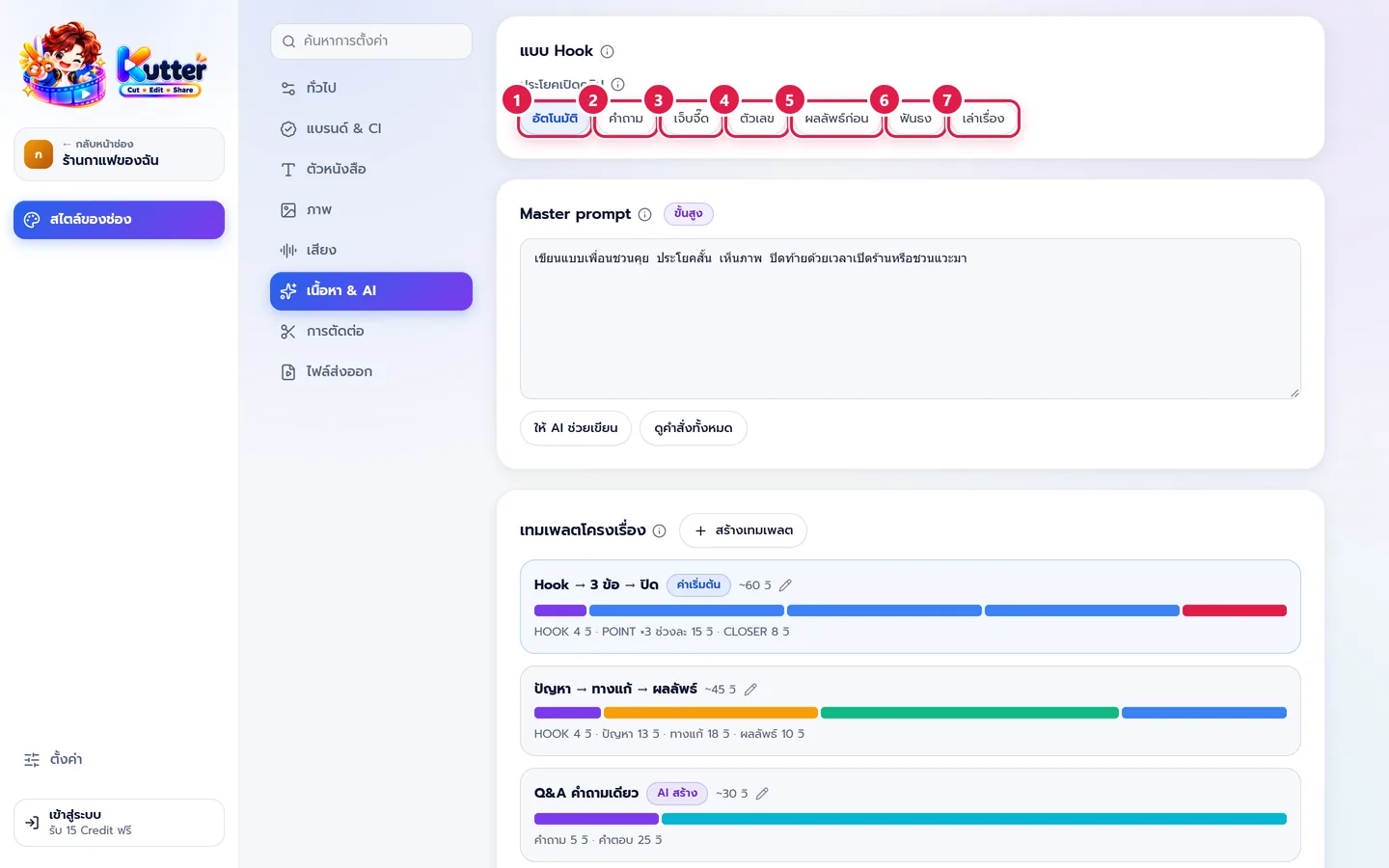
The Hook is the first line that stops people from scrolling past. This setting is used when the AI writes the script, arranges the Storyboard, and suggests Hooks.
- อัตโนมัติ (Automatic): the AI picks the type that fits your content (default).
- คำถาม (Question): open with a question viewers want answered, e.g. "รู้ไหม ทำไมลาเต้ร้านนี้ถึงเนียนกว่า?" (Do you know why this shop's latte is smoother?)
- เจ็บจี๊ด (Pain point): warn about a mistake or misconception, e.g. "ชงกาแฟด้วยน้ำเดือด รสขมแน่นอน" (Brew coffee with boiling water and it will taste bitter). It must match the actual content.
- ตัวเลข (Number): say right away how many points there are, e.g. "3 อย่างที่ทำให้กาแฟแก้วนี้หอมกว่า" (3 things that make this cup smell better).
- ผลลัพธ์ก่อน (Result first): show the result first, e.g. beautiful latte art, then explain how it's done.
- ฟันธง (Bold claim): a clear statement that makes people want to hear why, e.g. "กาแฟคั่วสดอร่อยกว่าเสมอ" (Freshly roasted coffee always tastes better).
- เล่าเรื่อง (Story): open with a short moment, e.g. "เช้านี้ลูกค้าประจำสั่งเมนูที่ไม่เคยมีในร้าน…" (This morning a regular ordered something that's never been on our menu…)
The café uses Automatic. The Hook it gets is "ร้านกาแฟเล็ก ๆ ที่ใส่ใจทุกแก้ว" (A little café that cares about every cup), which appears as the opening text and on the cover.
Suggest Hooks and cover titles
In the Finish step, under Opening text (Hook), click เสนอ Hook (Suggest Hooks). The AI suggests 3 lines, each with a tag showing its Hook type. Click the one you like to use it, or type your own.
The clip's cover card also has a ให้ AI เสนอหัวข้อ (Let AI suggest titles) button. It uses the same Hook types, and each title is tagged with its type too.
Master prompt and story structure templates
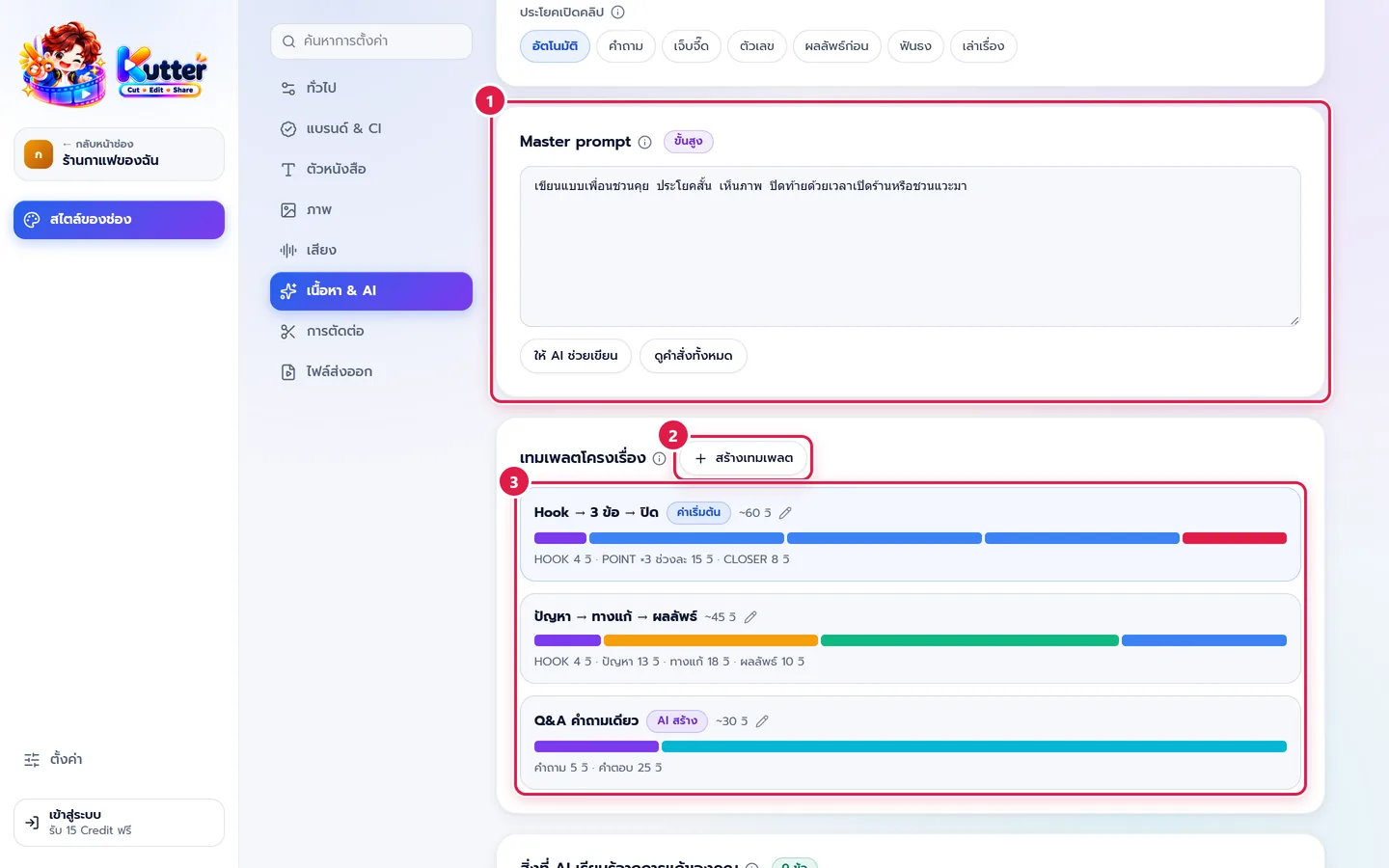
- Master prompt (advanced): instructions the AI reads before every task in this channel, including writing the script, choosing cuts, and suggesting B-roll. The café wrote: "เขียนแบบเพื่อนชวนคุย ประโยคสั้น เห็นภาพ ปิดท้ายด้วยเวลาเปิดร้านหรือชวนแวะมา" (Write like a friend chatting. Short, vivid sentences. End with our opening hours or an invitation to drop by.)
- Story structure templates: click สร้างเทมเพลต (Create template) to make a new structure.
- Click a template in the list to edit its sections and lengths, and to set it as the default, e.g. "Hook → 3 points → Close" (~60 s). Templates tagged AI-made come from clips you've edited.
The ให้ AI ช่วยเขียน (Let AI help write) and ดูคำสั่งทั้งหมด (View all instructions) buttons below the Master prompt will work in the next version. For now, clicking them shows a notice.
What the AI learns from your edits
In the bottom card, the AI remembers rules from the edits you make to clips in this channel. You can turn off any rule you don't want used. A new channel shows "ยังไม่มี" (None yet).
Troubleshooting
- If the Hook doesn't match your content, change from อัตโนมัติ (Automatic) to the type you want, then click เสนอ Hook (Suggest Hooks) again.
- If the AI doesn't follow your Master prompt, make it shorter, write it as a list of points, and make sure it doesn't conflict with คำที่ห้ามใช้ / ต้องเขียนแบบนี้ (Banned words / Write it like this).
Next: Editing
Still stuck? Chat with us (bottom right) or email support@helloworld-solution.com