 Kutter
Help › Settings, plans and handoff
Send to Premiere / DaVinci / Final Cut
XML, FCPXML, and SRT subtitle files for further editing in other video editors.
If you or your editing team already use Premiere Pro, DaVinci Resolve, or Final Cut Pro, Kutter can send them the timeline it cut. Every cut point, B-roll, and subtitle matches the MP4 file exactly.
XML and FCPXML are available from the Creator plan up. SRT subtitles work on every plan.
Save the files
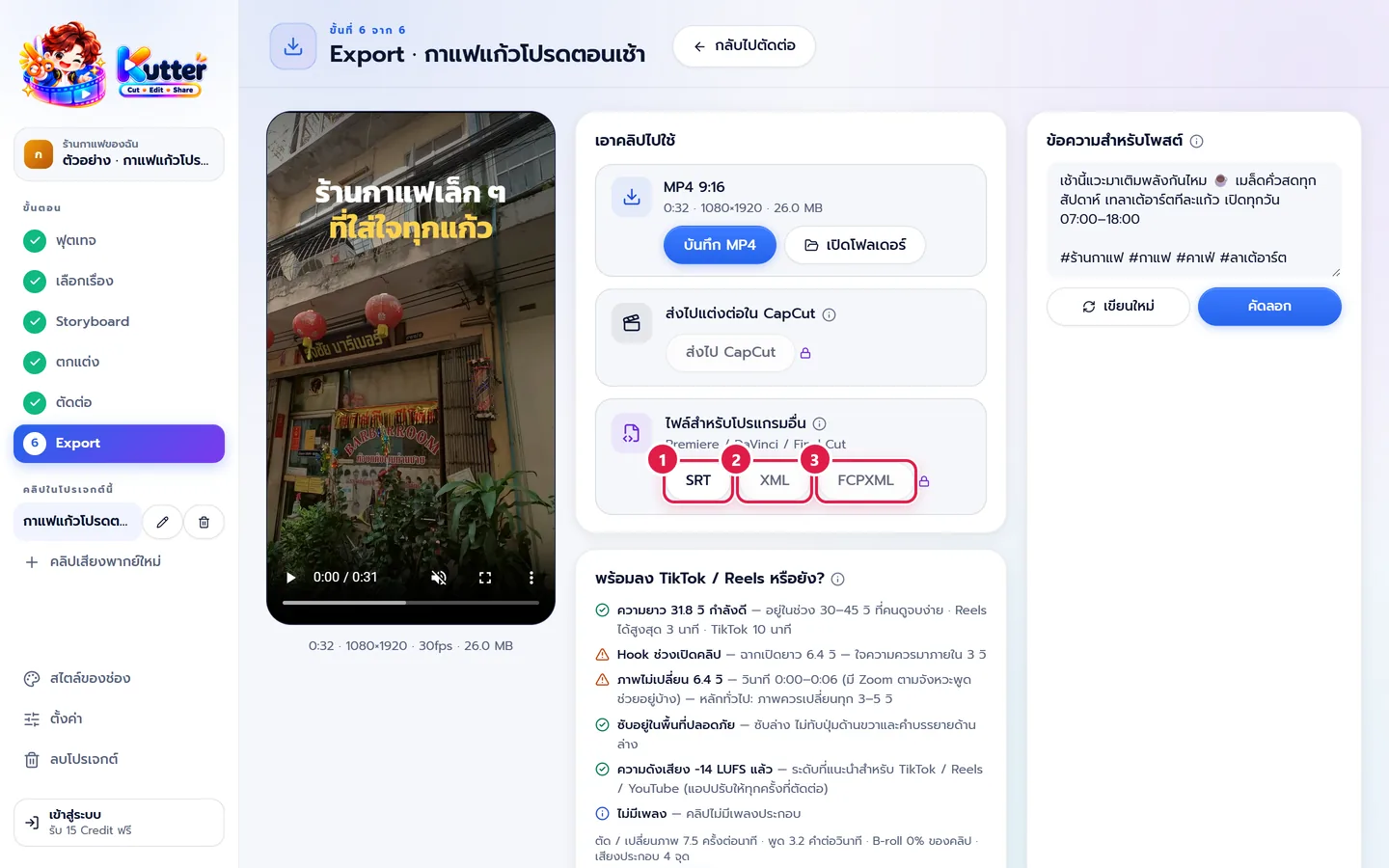
- SRT Subtitles only. Works with every app, or upload it as subtitles on YouTube.
- XML For Premiere Pro and DaVinci Resolve.
- FCPXML For Final Cut Pro (DaVinci can open it too).
All the buttons are in the ไฟล์สำหรับโปรแกรมอื่น (Files for Other Apps) card in the Export step. Click SRT (SRT), XML (XML), or FCPXML (FCPXML) and choose where to save. The file is named after the clip and its size, such as "กาแฟแก้วโปรดตอนเช้า_9x16.xml" (My Favorite Morning Coffee), with a matching .srt file.
Open in your video editor
- Premiere Pro File › Import, then choose the .xml file
- DaVinci Resolve File › Import › Timeline, then choose the .xml file
- Final Cut Pro File › Import › XML, then choose the .fcpxml file
What's in the timeline
- The cut main footage, with zooms that follow the speech rhythm (keyframes)
- B-roll on its own track, music (volume lowered during speech), sound effects, logo, Intro / Outro
- Premiere / DaVinci (XML): subtitles are images that look the same as in the clip; you can edit the words in the .srt file · The Hook is an image with a marker showing its text · Transition points are marked with markers
- Final Cut (FCPXML): subtitles and the Hook are editable text in the channel's font and colors · Transitions are straight cuts
If something goes wrong
- If the app says it can't find files (Offline / Relink), your original footage was moved. Click Relink and point to the new location. The XML refers to the original footage where it is; it doesn't copy the large files along.
- If the font in Final Cut looks wrong, install the font files from the _assets/fonts folder that comes with the file before opening it.
- If the XML / FCPXML buttons have a lock icon, see Plans and Credits.
- If you see the message "บันทึก SRT / XML ได้เมื่อโปรเจกต์มีฟุตเทจจริง" (you can save SRT / XML once the project has real footage), this project doesn't have footage on this computer yet.
Still stuck? Chat with us (bottom right) or email support@helloworld-solution.com